Choosing the right register can make checkout faster, reduce cash-handling mistakes, and keep your front counter running smoothly. The best options balance durability, ease of use, and the features your store actually needs.
Below, we focus on practical cash registers for retail stores, including standalone drawers, compact register systems, and all-in-one POS solutions for different budgets and store sizes.
Best 10 Cash Registers for Retail Stores Picks for 2026
Compact Secure Drawer
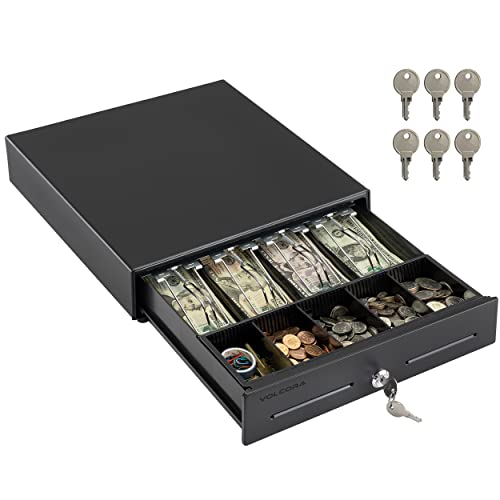
- Heavy-duty metal frame
- 4 bill and 5 coin slots
- RJ11/RJ12 printer connection
Best For: Small businesses using a printer-connected POS drawer
All-in-One Counter Register
Nadex CR360 Thermal Cash Register

- 4700+ lookups with 50 clerks
- 4 bill and 8 coin slots
- Built-in quick-load thermal printer
Best For: Retail counters needing an integrated register and printer
Keyboard POS Register
White Cash Register with Drawer

- 4 bill clamps and 5 coin slots
- Offline operation with dual displays
- USB and RS232 connectivity
Best For: Small stores and cafes wanting an offline POS register
Heavy-Duty Multiport Register
Nadex CR600 Large Cash Register

- 5 bill and 8 coin compartments
- 9500 PLUS lookups and 60 departments
- Serial port for scanners and printers
Best For: Busy stores needing a larger, feature-rich register
Reliable Countertop Cash Register
Electronic cash register for small retail
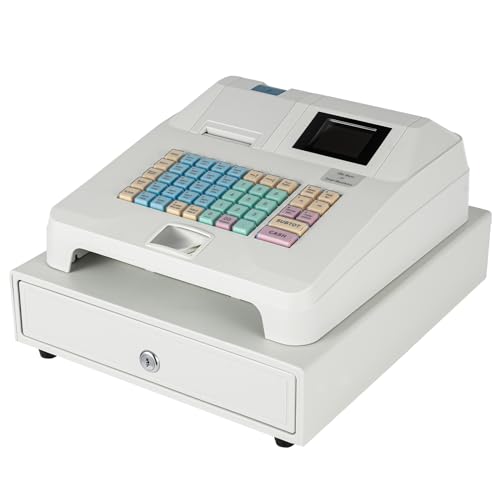
- Thermal printer with sales reporting
- Dual staff/customer displays
- RS232 and USB connectivity
Best For: Small retail counters that need a straightforward register with receipts and basic reporting
Heavy-Duty Drawer Pick

- Metal frame built for commercial use
- Adjustable 5-bill and 7-coin layout
- RJ11/RJ12 printer connection support
Best For: Retailers who need a sturdy standalone cash drawer for an existing POS setup
All-in-One Checkout Suite
SmartPOS 129 complete register system

- 15-inch touchscreen with customer display
- Includes drawer, scanner, and thermal printer
- Supports 50+ card processor integrations
Best For: Businesses that want a complete POS bundle with setup help and integrated checkout hardware
Best with Extra Features
Volcora 13" White Cash Drawer for POS

- 4 bill and 5 coin slots with removable tray
- 3-position key lock with printer-triggered opening
- RJ11/RJ12 setup for compatible POS systems
Best For: Small shops that already use a printer-based POS system
All-in-One Register System
PYY Cash Register with Wired Scanner

- Includes scanner, printer, dual displays, and cash drawer
- Supports detailed reports and large item/member capacity
- Built for faster checkout with multi-port connectivity
Best For: Small businesses that want an integrated checkout system
Large-Traffic Cash Drawer
Tera 16" Metal Drawer with 6 Keys
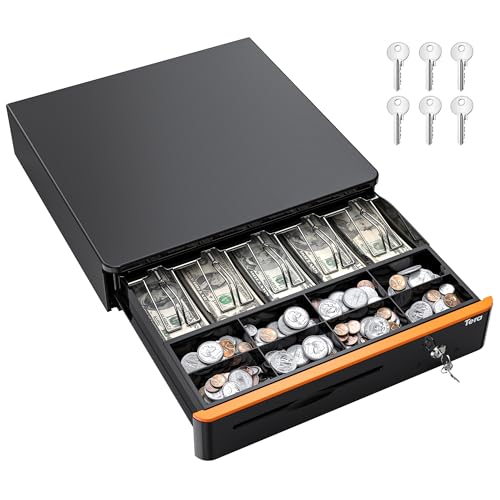
- 5 bill and 8 coin slots with removable tray
- 3-position lock and 6 included keys
- RJ12 printer connection for auto-open use
Best For: Busy retail and service counters needing extra drawer space
Compact Secure Drawer – Volcora 13" POS Cash Drawer
If you need cash registers for retail stores that focus on secure cash handling rather than full register functions, this Volcora drawer is a practical fit. It pairs with a receipt printer through RJ11/RJ12, giving you a straightforward way to open the drawer from a POS setup while keeping bills, coins, checks, and receipts organized.
Best For: Small shops and counters that want a durable under-counter cash drawer for a printer-based POS setup.
Pros:
- Heavy-duty metal frame built for small businesses and larger establishments.
- Removable coin tray creates 4 bill slots and 5 coin slots, plus a media compartment for checks and receipts.
- Three-position key lock adds manual open, auto open, and lock modes, with 6 keys included.
- Connects through RJ11/RJ12 to many receipt printer brands, including Star, Citizen, JAY, and Bixolon.
Cons:
- No USB port, so it cannot connect directly to a POS via USB.
- Requires a compatible receipt printer for auto-open operation.
This is a strong pick when your priority is a durable, lockable cash drawer with simple printer integration. It is best suited to businesses that already have a compatible POS printer in place.
All-in-One Counter Register – Nadex CR360 Thermal Cash Register
For retail stores that want a traditional cash register for business, this Nadex unit combines a cash drawer, thermal printer, displays, and reporting tools in one compact system. It is designed to handle everyday checkout work with organized storage, multiple clerk access, and a built-in printer for receipts.
Best For: Retail counters that want an integrated cash register with printer, drawer, and reporting features.
Pros:
- Includes 4 bill slots and 8 coin slots, plus a removable tray for checks and other valuables.
- Supports 4700+ lookups, 50 departments, and 50 clerks for multi-user operations.
- Quick-load 2-1/4″ thermal printer can add custom receipt headers and footers.
- Dual displays and multiple report types help track sales, refunds, and cashier activity.
Cons:
- Heavier and larger than a simple drawer-only setup.
- Uses serial connectivity rather than broad modern wireless options.
This model makes sense if you want more than basic cash storage and prefer a self-contained checkout station. It is especially useful where reporting and multi-cashier control matter.
Keyboard POS Register – White Cash Register with Drawer
This cash register for retail stores is aimed at busy counters that need clear displays, simple cash sorting, and basic device connectivity. With a flat keyboard, LED display, and dedicated drawer layout, it suits operations that want a straightforward POS-style checkout system without relying on an online connection.
Best For: Small retailers, cafes, and grocery counters that need an offline POS cash register with drawer access.
Pros:
- Four bill clamps and five coin slots help keep cash organized for faster change-making.
- Dual-screen layout shows information clearly for employees and checkout workflows.
- Offline operation means no network is needed.
- USB and RS232 ports support barcode guns and printers.
Cons:
- Product notes do not mention built-in receipt printing.
- White finish may show wear more readily in high-traffic environments.
This is a good choice if you want an easy-to-read, offline register with the basics covered. It offers practical organization and connectivity for everyday small-business checkout use.
Heavy-Duty Multiport Register – Nadex CR600 Large Cash Register
When you need cash registers for retail stores with a larger drawer and more advanced register functions, the Nadex CR600 stands out as a heavy-duty option. It combines expanded bill and coin storage with a high-capacity PLU system, multiple displays, and multiport support for connected peripherals.
Best For: Busy retail operations that need a large-capacity cash register with strong reporting and peripheral support.
Pros:
- Heavy-duty steel drawer includes 5 bill compartments, 8 coin compartments, and 2 check slots.
- 9500 PLUS lookups, 60 departments, and 50 cashiers support complex store setups.
- Dual displays and multiple report types cover operator and customer use.
- Serial port support works with barcode scanners, kitchen printers, scales, and PC programming.
Cons:
- At 24.6 pounds, it is heavier than compact register models.
- Larger footprint may be less suitable for tight checkout spaces.
This model is best for stores that need more capacity and more control than a basic register can provide. It is a solid fit when your checkout counter must handle higher-volume, more complex transactions.
Reliable Countertop Cash Register – Electronic cash register for small retail
If you need cash registers for retail stores that handle everyday checkout smoothly, this electronic cash register is built around speed, visibility, and basic reporting. It includes a thermal printer, dual displays, organized cash storage, and multiple interfaces for connecting to a scanner, printer, or computer.
Best For: Small businesses, grocery counters, and convenience stores that want a straightforward register with printing and reporting features.
Pros:
- 48-key layout and organized bill/coin compartments help speed up checkout.
- Dual displays give staff and customers clear transaction visibility.
- Thermal printing, PLU, refund, and sales report functions support daily operations.
- RS232 and USB ports add flexibility for connected devices.
Cons:
- Designed as a print-only cash register, so it is not a full POS touchscreen system.
- Weight and size make it more of a fixed checkout unit than a portable option.
This is a practical choice if your priority is a dependable register with core retail functions rather than a complex all-in-one system.
Heavy-Duty Drawer Pick – 16-inch POS cash drawer
For retail stores that only need secure cash storage as part of a POS setup, this cash drawer is a focused, durable option. It uses a heavy-duty metal frame, a 3-position key lock, and RJ11/RJ12 printer connection support for auto open and close operation.
Best For: Stores that already have a receipt or thermal printer and want a sturdy cash drawer with adjustable storage.
Pros:
- Heavy-duty metal construction is designed for commercial use.
- Adjustable and removable coin slots let you configure up to 5 bill slots and 7 coin slots.
- Media slot is useful for checks, bills, and receipts without opening the drawer.
- Key lock and included spare keys add day-to-day security.
Cons:
- No USB port, so it cannot connect directly to a POS via USB.
- Requires a compatible receipt or thermal printer for auto-open functionality.
This drawer makes sense when you already have the rest of the checkout stack and just need reliable cash handling at the counter.
All-in-One Checkout Suite – SmartPOS 129 complete register system
If you want one of the most complete cash registers for retail stores, this SmartPOS bundle combines the main checkout pieces in a single system. It includes a 15-inch cashier touchscreen, customer-facing display, cash drawer, handheld scanner, and thermal printer, with no hidden fees or forced subscriptions noted.
Best For: Small businesses that want a ready-to-use, all-in-one POS bundle with touchscreen checkout and integrated peripherals.
Pros:
- Includes the core checkout hardware in one bundle.
- 15-inch cashier screen and matching customer display create a professional setup.
- Over 50 card processor integrations offer flexibility.
- Free initial setup call and mobile app support make getting started easier.
Cons:
- Larger footprint and 53.9-pound weight make it more of a fixed station.
- More system than a basic register if you only need simple cash handling.
This is the strongest fit if you want a modern retail checkout system that bundles hardware, software access, and setup support from the start.
Best with Extra Features – Volcora 13" White Cash Drawer for POS
If you need cash registers for retail stores that focus on simple, dependable drawer control, this Volcora unit is built around basic POS workflow. It connects through RJ11/RJ12 to a receipt printer, uses a 3-position key lock, and keeps bills and coins organized in a compact metal frame.
Best For: Small shops and checkout counters that need a straightforward, printer-triggered cash drawer.
Pros:
- 4 bill slots plus 5 coin slots, with a removable coin tray for flexible organization
- 3-position key lock with manual open, auto open, and lock modes
- Includes a media slot for larger bills, checks, and receipts
- Metal construction with under-counter mounting support
Cons:
- No USB connection for direct POS use
- Requires a compatible receipt or thermal printer for auto-open function
This is a practical choice if you want a durable drawer rather than an all-in-one register. It keeps the setup focused and secure, especially for stores already using a printer-based POS system.
All-in-One Register System – PYY Cash Register with Wired Scanner
For cash registers for retail stores that need more than just a drawer, this PYY system bundles scanning, printing, and cash handling into one unit. It’s designed to speed up checkout with a wired barcode scanner, integrated thermal printer, dual displays, and multi-port connectivity for common store peripherals.
Best For: Small businesses that want an integrated checkout system with scanning and reporting features.
Pros:
- Includes a wired barcode scanner with 3 scan modes and 30 FPS performance
- Built-in printer, cashier display, customer display, and integrated cash drawer
- Supports detailed sales reporting, 200 departments, and 10,000 products
- Comes with drawer keys, thermal paper, cables, and technical support
Cons:
- Larger and heavier than a basic cash drawer
- More system features may be more than a very simple checkout counter needs
This is a strong pick if you want a full cashing system instead of assembling separate components. It suits businesses that value faster checkout, reporting, and built-in hardware in one package.
Large-Traffic Cash Drawer – Tera 16" Metal Drawer with 6 Keys
If you’re comparing cash registers for retail stores and want a larger drawer for heavier daily use, this Tera model offers a roomy 16-inch metal build with organized storage. It connects through RJ12 to a receipt printer for automatic opening and includes a media slot plus a removable coin tray for practical front-counter handling.
Best For: Retail counters, coffee shops, and service businesses that need a wider, secure cash drawer.
Pros:
- 5 bill slots and 8 coin slots for expanded cash organization
- 3-position key lock with auto-open, manual-open, and lock settings
- Includes 6 keys for multi-user access and backup
- Metal construction with countertop or under-counter use
Cons:
- No direct USB connection to POS
- Auto-open depends on a compatible receipt printer setup
This drawer is a sensible upgrade if your checkout area handles more cash and needs extra compartment space. The added width and key count make it especially useful for shared shifts and busy counters.
How We Picked the Best Cash Registers for Retail Stores
We prioritized real-world retail needs: drawer capacity, build quality, compatibility with POS setups, printing options, clerk and department tracking, and ease of daily use. For Cash Registers for Retail Stores, the best choice is usually the one that matches your transaction volume and workflow, not the one with the most features.
Quick Comparison
Simple cash drawers are best if you already use a POS tablet, terminal, or card reader and just need secure cash storage. Traditional electronic cash registers add keys, totals, and often receipt printing, while all-in-one smart POS bundles combine hardware and software for a more modern checkout experience. Heavy-duty models are the better fit for higher-volume stores that need stronger construction and more compartments.
Key Buying Factors for Cash Registers for Retail Stores
Drawer Size and Compartment Layout
Check how many bill and coin slots you need, plus whether the tray is removable. Stores that handle mixed tender types benefit from adjustable coin trays and media slots for checks, coupons, or large bills.
Compatibility
Many cash drawers connect through RJ11/RJ12 ports and are designed to open through a POS system or receipt printer. Confirm voltage and interface compatibility before buying, especially if you already have existing hardware.
Durability and Security
Steel construction, key locks, and smooth drawer slides matter in busy retail settings. If multiple employees will use the register, look for dependable locking and a layout that makes end-of-day counting easier.
Printing and Transaction Management
Some retailers need a simple drawer, while others need receipt printing, journal records, clerk tracking, or department lookup capability. Match those features to your reporting needs so you are not paying for tools you will not use.
Space and Workflow
Compact counters may need a smaller footprint, while larger stores can accommodate bigger drawers or complete POS stations. Consider how the register fits beside scanners, receipt printers, and payment terminals.
Who Should Buy Which Cash Registers for Retail Stores?
Small shops that already run a tablet-based POS should usually choose a reliable cash drawer. Cafes, boutiques, and convenience stores with moderate cash volume may prefer a basic electronic register with keys and a display. Higher-volume retailers, multi-clerk counters, and stores that want better tracking should look at full POS systems or advanced register models with printer support and expanded lookup features.
If you want the simplest path, buy for your workflow first and features second. The right register will save time at checkout and keep daily cash management straightforward.