Choosing the right case fans can lower component temperatures, reduce noise, and give a gaming PC a cleaner, more intentional look. The best option depends on your case layout, cooling targets, motherboard headers, and whether you prioritize acoustics or RGB lighting.
We’ve selected 10 computer cooling fans for gaming PCs covering quiet 120mm models, high-airflow three-packs, reverse-blade designs, and feature-rich ARGB kits. Use the guide below to match fan performance and connectivity with your build.
Best 10 Computer Cooling Fans for Gaming PCs Picks for 2026
RGB Airflow Pick
Thermalright TL-M12Q X3 120mm 3-Pack

- Three 120mm PWM fans with up to 68.9CFM airflow
- Infinity mirror ARGB lighting with daisy-chain wiring
- 2000RPM speed for case or radiator cooling
Best For: RGB-focused gaming PCs needing a coordinated three-fan setup
Quiet Performance Pick

- Pressure-optimized 120mm design for coolers and radiators
- PWM speed control with a 25.1dB(A) maximum noise rating
- Six-year manufacturer warranty
Best For: Quiet, practical cooling in gaming desktops and radiator setups
Clean Cable RGB Pick

- Three 120mm fans rated for 68.9CFM airflow
- Daisy-chain PWM and ARGB connections reduce cable clutter
- Illuminated blades and dual-side infinity mirrors
Best For: Showcase gaming PCs prioritizing tidy wiring and bright ARGB effects
Durable RGB Alternative
AsiaHorse AMICI-5GT 120mm Fans

- HDB bearing with a stated 50,000-hour lifespan
- 61.5CFM airflow at speeds up to 1800RPM
- 24-LED infinity mirror ARGB with motherboard sync
Best For: RGB gaming builds wanting durable, cable-connected fan chaining
Visual ARGB Pick

- Three 120mm fans with infinity-mirror lighting
- PWM control from 800–1600 RPM ±10%
- Hydraulic bearing and rubber pads for stable operation
Best For: ARGB-focused gaming PC builds
Quiet PWM Value
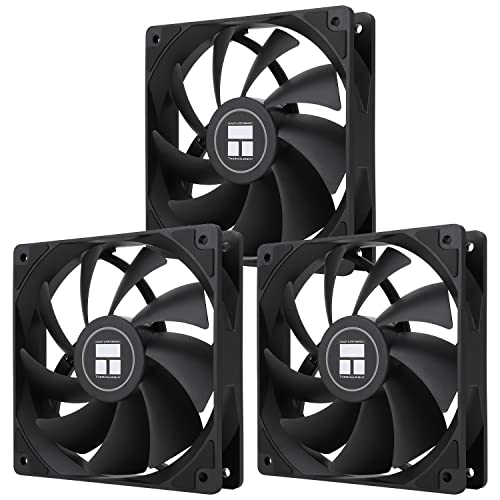
- Three 120mm 4-pin PWM fans
- 66.17 CFM airflow at up to 1550 RPM
- S-FDB bearings and 25.6 dBA noise rating
Best For: Quiet case and CPU-cooler setups
Full-Build Airflow Kit

- Seven fans: four forward and three reverse blade
- 4-pin PWM control at up to 1550 RPM
- 28 ARGB LEDs with infinity-mirror lighting
Best For: Large cases and complete airflow upgrades
Best Value Multi-Pack
Thermalright TL-C12CW-S 5-Pack
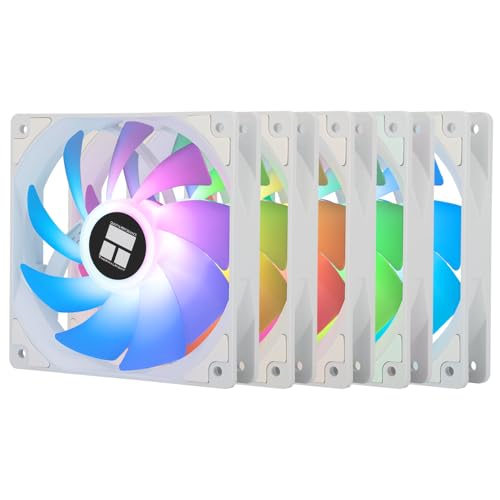
- Five 120mm PWM fans
- 66.17 CFM airflow per fan
- White ARGB with 17 effects
Best For: Outfitting multiple fan mounts on a budget
Best High-Airflow Option
CORSAIR RS120 ARGB Triple Pack
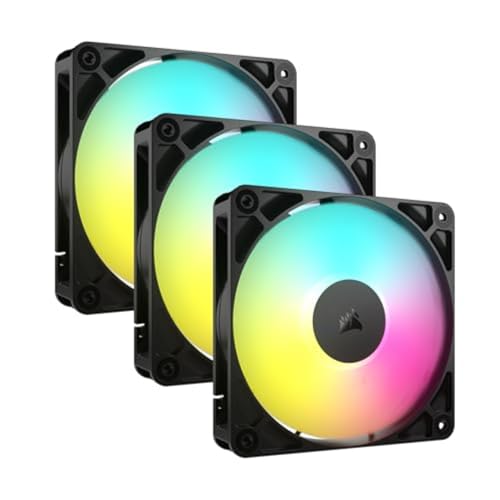
- Up to 2,100 RPM
- Up to 72.8 CFM airflow
- Daisy-chain PWM and ARGB connections
Best For: High-airflow case or radiator cooling
Best Three-Fan Starter Kit

- Three 120mm PWM fans
- 66.17 CFM airflow per fan
- S-FDB bearings with ARGB lighting
Best For: Mid-sized gaming PC fan upgrades
RGB Airflow Pick – Thermalright TL-M12Q X3 120mm 3-Pack
For builders comparing computer cooling fans for gaming pcs, the Thermalright TL-M12Q X3 combines strong airflow with prominent ARGB lighting. Its three 120mm PWM fans can serve as intake, exhaust, or radiator fans, while the 2000RPM ceiling provides useful headroom for demanding gaming loads.
Best For: RGB-focused desktop builds that need three coordinated fans and cleaner daisy-chain wiring.
Pros:
- Three 120mm fans provide up to 68.9CFM airflow and 2.21mmH2O air pressure.
- Infinity mirror lighting and illuminated blades create a fuller look in glass-panel cases.
- 4-pin PWM and 5V 3-pin ARGB connections support compatible motherboard control.
- Daisy-chain wiring helps simplify multi-fan installation.
Cons:
- At 28.2dB, it is not the quietest option in this group.
- ARGB lighting requires compatible 5V headers and software.
This is a well-rounded three-pack for gamers who want visible lighting without giving up radiator or case-cooling flexibility. The 3-year warranty adds useful coverage for a multi-fan purchase.
Quiet Performance Pick – Noctua NF-P12 redux-1700 PWM
The Noctua NF-P12 redux-1700 PWM is a practical choice among computer cooling fans for gaming pcs when noise control matters. Its pressure-optimized blade design is intended for CPU coolers, radiators, and chassis ventilation, with motherboard-controlled PWM operation for quieter idle periods.
Best For: Gamers who want dependable single-fan cooling with a strong balance of airflow, static pressure, and noise.
Pros:
- Pressure-optimized design suits air coolers, radiators, and case ventilation.
- 4-pin PWM control can automatically adjust speed through a compatible motherboard.
- 1700RPM operation delivers performance while limiting maximum noise to 25.1dB(A).
- Backed by a stated six-year manufacturer warranty.
Cons:
- This is a single fan, so larger cases may require additional units.
- It does not include ARGB lighting.
The NF-P12 redux-1700 PWM favors function over visual extras. It makes sense for a restrained build, a radiator replacement, or a targeted airflow upgrade where quieter operation is more important than synchronized lighting.
Clean Cable RGB Pick – Thermalright TL-M12Q-S X3
The Thermalright TL-M12Q-S X3 is aimed at builders who want computer cooling fans for gaming pcs with both airflow and coordinated illumination. This three-pack reaches 2000RPM and includes daisy-chain PWM and ARGB connections, helping reduce cable clutter in multi-fan installations.
Best For: Glass-panel gaming builds where cable management and strong ARGB presentation are priorities.
Pros:
- Three 120mm fans provide up to 68.9CFM airflow and 2.21mmH2O pressure.
- Daisy-chain connections help keep PWM and ARGB wiring cleaner.
- Lighted blades and dual-side infinity mirrors enhance visible fan positions.
- Suitable for intake, exhaust, or radiator use.
Cons:
- The 28.2dB noise rating is higher than the Noctua option listed here.
- Lighting control depends on compatible 5V ARGB and motherboard headers.
This model is especially useful when the fan installation will be visible from multiple angles. Its specifications closely match the other Thermalright three-pack, but the emphasis here is on cleaner daisy-chain connectivity and blade lighting.
Durable RGB Alternative – AsiaHorse AMICI-5GT 120mm Fans
For shoppers seeking computer cooling fans for gaming pcs with lighting and a stated long service life, the AsiaHorse AMICI-5GT offers a 1800RPM HDB-bearing design. It combines 61.5CFM airflow with 2.0mmH2O pressure and supports motherboard-based ARGB synchronization rather than wireless control.
Best For: RGB gaming setups that want a durable bearing design, moderate noise, and broad motherboard lighting compatibility.
Pros:
- HDB bearing and closed-loop lubrication are designed for smooth, durable operation.
- Provides 61.5CFM airflow and 2.0mmH2O pressure at up to 1800RPM.
- 24 LEDs per fan support 16.8 million colors and motherboard ARGB synchronization.
- Rubber pads and balancing adjustments are intended to reduce vibration and wind noise.
Cons:
- Its 30dB(A) maximum rating is louder than the Noctua option.
- Cable daisy chaining is recommended for no more than three fans.
- The connection is not wireless or modular; cables are required.
The AMICI-5GT is a capable lighting-focused alternative with useful airflow and a stated 50,000-hour lifespan. Confirm your case layout and available 5V ARGB and PWM connections before installation.
Visual ARGB Pick – DARKROCK Black F120 3in1
The DARKROCK Black F120 3in1 is a practical choice for anyone shopping for computer cooling fans for gaming pcs with an emphasis on synchronized ARGB lighting. Its three 120mm fans use PWM control, nine blades, and hydraulic bearings for adjustable cooling with a stated noise level of 36 dB.
Best For: Gaming PC builders who want three 120mm fans with layered infinity-mirror lighting.
Pros:
- Infinity-mirror effects appear at the center and sides of each fan.
- PWM speed control ranges from 800 to 1600 RPM ±10%.
- Hydraulic bearings and rubber pads support quieter, more stable operation.
Cons:
- The listed noise level is 36 dB, higher than some quieter alternatives.
- Its connector is listed as 3-pin, so motherboard compatibility should be checked.
Choose this kit when the visual presentation of your build matters alongside basic airflow control. It is sized for most cases, air coolers, and water-cooling systems, but confirm the available connector and ARGB support before buying.
Quiet PWM Value – Thermalright TL-C12C X3
The Thermalright TL-C12C X3 is a strong value-oriented option among computer cooling fans for gaming pcs, offering three 120mm fans with 4-pin PWM control. Its S-FDB bearings, 66.17 CFM airflow rating, and noise rating of up to 25.6 dBA suit builders who want adjustable cooling without emphasizing maximum fan speed.
Best For: Quiet-leaning case or CPU-cooler setups that need three PWM-controlled fans.
Pros:
- 4-pin PWM control can adjust speed according to motherboard temperature.
- S-FDB bearings are designed to reduce blade shake and operating noise.
- Rated airflow reaches 66.17 CFM at up to 1550 RPM.
- ARGB lighting supports up to 17 modes and motherboard synchronization.
Cons:
- The kit is limited to three fans.
- ARGB synchronization requires a compatible motherboard connection.
This kit balances airflow, PWM automation, and a relatively low stated noise rating. The included 55cm cables can help with PWM fan chaining, making it a sensible option for straightforward case or cooler installations.
Full-Build Airflow Kit – 7 Pack 120mm ARGB PC Fans
This seven-fan kit is designed for buyers seeking computer cooling fans for gaming pcs with broad case coverage and flexible airflow direction. It combines four forward-blade fans with three reverse-blade fans, 4-pin PWM control, 1550 RPM operation, and 28 ARGB LEDs.
Best For: Large gaming PC builds needing multiple fans for cases, AIOs, or CPU coolers.
Pros:
- Seven-fan bundle includes four forward and three reverse-blade fans.
- 1550 RPM operation is intended to balance cooling and acoustic comfort.
- 4-pin PWM control supports motherboard-based speed adjustment.
- 28 ARGB LEDs provide bright infinity-mirror-style lighting.
Cons:
- The large bundle may be unnecessary for smaller cases.
- Installation requires planning for multiple fan positions and connections.
For a full case refresh, the mixed forward and reverse-blade layout can help create a more organized airflow setup while keeping the lighting consistent. Confirm that your case, AIO, and motherboard have enough mounting space and compatible connections.
Best Value Multi-Pack – Thermalright TL-C12CW-S 5-Pack
For builders needing several computer cooling fans for gaming PCs, this five-pack offers 120mm PWM fans with ARGB lighting and a practical balance of airflow and noise. The fans reach up to 1,550 RPM, deliver 66.17 CFM of airflow, and can be used in a case, radiator, or CPU cooler setup.
Best For: Budget-conscious builders outfitting multiple fan mounts with coordinated white ARGB lighting.
Pros:
- Five 120mm fans provide broad case-cooling coverage.
- 4-pin PWM control adjusts fan speed according to motherboard temperature.
- S-FDB bearings and a rated noise level of up to 25.6 dBA support quieter operation.
- ARGB lighting offers up to 17 effects and motherboard synchronization.
Cons:
- The 1,550 RPM maximum is lower than some performance-focused alternatives.
- ARGB synchronization requires a compatible motherboard connection.
This is a strong value choice when the goal is to populate several 120mm mounts without giving up PWM control or customizable lighting. Its five-fan quantity is especially useful for new builds and larger cases.
Best High-Airflow Option – CORSAIR RS120 ARGB Triple Pack
The CORSAIR RS120 ARGB is a compelling option for computer cooling fans for gaming PCs when higher airflow and radiator compatibility matter. Each 120mm fan reaches up to 2,100 RPM, produces up to 72.8 CFM, and uses AirGuide vanes to direct airflow toward hot components.
Best For: Gaming PC builders who want high airflow, radiator support, and simplified daisy-chain connections.
Pros:
- Up to 2,100 RPM and 72.8 CFM provide strong airflow potential.
- Daisy-chain design reduces cable clutter with one PWM and one ARGB connection.
- 2.8mm-H2O static pressure suits radiator and heatsink use.
- Eight LEDs per fan support customizable motherboard-controlled lighting.
Cons:
- The listed 36 dB noise level is higher than the Thermalright options here.
- ARGB control requires a compatible motherboard.
Choose this pack when cooling performance and installation convenience take priority over the lowest rated noise level. Its higher speed ceiling and static-pressure rating make it particularly useful for radiators and restricted airflow paths.
Best Three-Fan Starter Kit – Thermalright TL-C12CW-S X3
This three-pack is a straightforward pick for computer cooling fans for gaming PCs that need a compact set of 120mm case or CPU-cooler fans. It combines 4-pin PWM control, up to 1,550 RPM, 66.17 CFM airflow, and ARGB lighting in a smaller quantity than the five-pack.
Best For: Mid-sized builds needing three coordinated 120mm fans with quiet-focused specifications.
Pros:
- Three 120mm fans suit common front, rear, or top fan configurations.
- 4-pin PWM lets the motherboard adjust speed automatically.
- Rated noise is up to 25.6 dBA, with S-FDB bearings designed for smooth operation.
- ARGB blades support up to 17 lighting effects and motherboard synchronization.
Cons:
- Only three fans are included, so larger cases may require another pack.
- The 1,550 RPM maximum is more moderate than the CORSAIR pack.
For a typical gaming build, this pack provides a practical starting point without buying more fans than needed. It is also a sensible choice when low rated noise and coordinated ARGB lighting are more important than maximum rotational speed.
How We Picked the Best Computer Cooling Fans for Gaming PCs
We focused on 120mm fans because that size fits most modern gaming cases and offers a strong balance of airflow, static pressure, noise, and availability. The lineup includes individual fans and multi-packs from established cooling brands, with options for budget-focused builds, quiet systems, and RGB-heavy setups.
We compared stated fan speed, airflow, bearing design, PWM control, lighting features, included fan count, and installation flexibility. Because specifications can vary by seller or revision, confirm the exact connector, controller requirements, and pack contents before buying.
Quick Comparison
| Best For | Look For | Recommended Type |
|---|---|---|
| Low-cost airflow upgrades | Three- or five-pack, PWM control | Thermalright multi-packs |
| Quiet operation | Quality bearing and conservative speed tuning | Noctua NF-P12 redux |
| ARGB presentation | 5V 3-pin ARGB and motherboard software support | Thermalright, AsiaHorse, or DARKROCK kits |
| Clean cable management | Daisy-chain support | CORSAIR RS120 ARGB |
| Large cases or complex layouts | Forward and reverse-blade coverage | Seven-fan ARGB kit |
Key Buying Factors for Computer Cooling Fans for Gaming PCs
Airflow and Static Pressure
Airflow, measured in CFM, indicates how much air a fan can move in an open test environment. Static pressure matters more when a fan is mounted against a dust filter, radiator, or restrictive front panel. For unrestricted exhaust positions, prioritize airflow; for radiators and dense front intakes, look for a fan designed to maintain pressure.
PWM and Connector Compatibility
Four-pin PWM fans allow the motherboard to adjust speed according to temperature. Check how many fan headers your board has and whether a hub or splitter is included. ARGB lighting normally uses a separate 5V three-pin connector; do not connect it to a 12V four-pin RGB header.
Noise, Bearings, and Speed
Higher maximum RPM can improve cooling but may add motor and airflow noise. Fluid-dynamic, hydraulic, or magnetic-style bearings generally offer smoother operation than basic sleeve designs. Fan curves in the BIOS or motherboard software can keep idle noise low while preserving cooling headroom during gaming.
Size, Direction, and Lighting
Confirm that your case supports 120mm mounts and check clearance around radiators, graphics cards, and cable channels. Reverse-blade fans can present a cleaner visible side while maintaining intake airflow. For ARGB, verify software compatibility and whether the kit requires a proprietary controller.
Who Should Buy Which Computer Cooling Fans for Gaming PCs?
Choose a quiet non-RGB model if you want a restrained workstation-gaming setup or already have adequate lighting elsewhere. A three-pack is usually the best value for a conventional front-intake and rear-exhaust layout. Five- and seven-fan kits suit larger cases or complete airflow refreshes, but buy only as many as your case and headers can use.
Pick ARGB fans when coordinated lighting is part of the build’s design, and favor daisy-chain models when minimizing cable clutter matters. If you use a compact case, radiator, or restrictive dust filters, prioritize PWM control and pressure-oriented performance over decorative features. Finally, configure intake and exhaust deliberately: slightly positive pressure, with more filtered intake capacity than exhaust, can help reduce dust ingress.