The best laptop privacy screen should protect your work from side-angle viewers without making the display difficult to read. Anti-glare treatment can also reduce reflections in bright offices, classrooms, airports, and shared workspaces.
We selected 10 options in common 14-inch and 15.6-inch 16:9 sizes, including magnetic, removable, and four-way privacy designs. Check your laptop’s actual screen dimensions and attachment style before buying.
Best 10 Anti Glare Laptop Privacy Screens Picks for 2026
Best Reversible 14-Inch Filter
Kensington K52793WW Privacy Screen

- Matte and glossy viewing options
- Side viewing limited to about ±30°
- Includes tabs and double-sided tape
Best For: Compatible 14-inch 16:9 laptops
Best Magnetic 15.6-Inch Option
Verponity Removable Privacy Screen

- Fast magnetic attachment and removal
- Matte anti-glare surface
- Washable and reusable with storage folder
Best For: Frequent travelers with compatible 15.6-inch laptops
Best Measurement-Guided 15.6-Inch Filter

- For 15.6-inch 16:9 displays
- Slide-on or mounted installation
- Blocks 30% of blue light
Best For: Measured, non-touchscreen 15.6-inch laptops
Best All-Around Coverage
F FORITO 15.6-Inch 360° Privacy Screen

- 360° side-and-rear privacy design
- Matte anti-glare and blue-light reduction
- Thin, scratch-resistant fit for 16:9 laptops
Best For: Compatible 15.6-inch laptops used in shared spaces
Best Magnetic Option
SightPro 15.6-Inch Magnetic Privacy Screen

- Fast, removable magnetic attachment
- Blocks side views with a clear front view
- Includes webcam cover, folder, and cleaning cloth
Best For: Mobile workers and travelers with 15.6-inch 16:9 laptops
Best 360° Coverage
15.6-Inch True Anti-Peep Screen
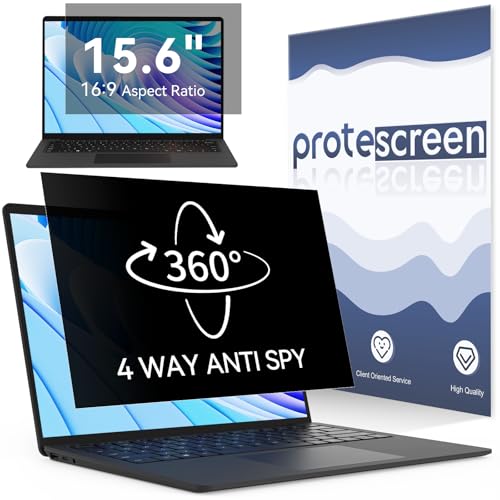
- 28° four-way privacy coverage
- Matte anti-glare finish
- Up to 95% blue-light reduction
Best For: 15.6-inch 16:9 laptops used in public
Best Reversible Filter
15.6-Inch Matte or Glossy Screen

- ±30° side-view privacy
- Reversible matte and glossy surfaces
- Permanent or slide-tab installation
Best For: Users wanting flexible finish and mounting options
Best 14-Inch 4-Way Privacy Pick – ZOEGAA 14-Inch 16:9 Privacy Screen
The ZOEGAA is a practical choice among anti glare laptop privacy screens if you use a compatible 14-inch, 16:9 laptop in shared spaces. It provides four-way privacy, glare reduction, and blue-light and UV filtering, but careful measurement is essential because the listed fit is based on the visible screen dimensions rather than diagonal size alone.
Best For: Owners of compatible 14-inch 16:9 laptops from brands such as HP, Dell, Lenovo, Acer, Asus, Samsung, and ThinkPad.
Pros:
- Provides four-way privacy protection from left, right, above, and below.
- Anti-glare treatment helps reduce distracting reflections.
- Offers insert-style or adhesive installation, with cleaning accessories included.
- Includes blue-light and UV filtering plus a two-year warranty.
Cons:
- Not compatible with MacBook or Surface series computers.
- Requires a screen measuring approximately 12 3/16 inches wide by 6 7/8 inches high.
- Adhesive installation may be less convenient for frequent removal.
Choose the ZOEGAA when four-direction privacy matters more than universal compatibility. Confirm the visible screen dimensions and aspect ratio before ordering, especially if your laptop has unusual bezels or a touchscreen design.
Best Reversible 14-Inch Filter – Kensington K52793WW Privacy Screen
The Kensington K52793WW is a strong option among anti glare laptop privacy screens for 14-inch 16:9 laptops. Its reversible design lets you choose between matte and glossy viewing, while the privacy filter limits side visibility and the included tab holders or tape support flexible installation.
Best For: Users who want a reversible matte-or-glossy filter for a compatible 14-inch 16:9 laptop.
Pros:
- Limits viewing to approximately plus or minus 30 degrees from the center.
- Reversible matte and glossy sides accommodate different viewing preferences.
- Anti-reflective coating reduces glare and helps improve clarity.
- Includes frameless tab holders, double-sided tape, and a cleaning cloth.
Cons:
- Designed specifically for 14-inch 16:9 screens, so measurement is important.
- Blue-light reduction is listed at up to 30%, which may be less than some competing filters.
The Kensington stands out for its established-brand design and reversible finish. It is a sensible pick when you want installation flexibility and the ability to switch between a matte and glossy viewing surface.
Best Magnetic 15.6-Inch Option – Verponity Removable Privacy Screen
The Verponity magnetic filter is a convenient choice among anti glare laptop privacy screens for compatible 15.6-inch, 16:9 laptops. Its magnetic attachment makes removal quick, while the matte surface reduces glare and the included storage folder makes it easier to carry between workspaces.
Best For: Professionals, students, and frequent travelers using compatible 15.6-inch 16:9 laptops in public or shared environments.
Pros:
- Magnetic attachment allows quick installation and removal without adhesive residue.
- Matte treatment provides anti-glare and anti-reflection benefits.
- Blocks 98% of blue light and 99% of UV rays according to the supplied specifications.
- Washable, reusable design includes a storage folder and cleaning cloth.
Cons:
- Not designed for MacBook or touchscreen laptops.
- Requires a visible screen measuring approximately 13 9/16 inches by 7 5/8 inches.
- Direct viewing from directly behind cannot be blocked.
This is one of the more convenient choices for users who remove a privacy filter regularly. Verify the screen measurements before purchase, then use the magnetic design when you need temporary privacy without a permanent adhesive installation.
Best Measurement-Guided 15.6-Inch Filter – Magicmoon 16:9 Privacy Screen
The Magicmoon 15.6-inch filter is a straightforward option among anti glare laptop privacy screens for widescreen laptops with a 16:9 aspect ratio. It is designed for a specific visible area, offers front-facing clarity with side-view privacy, and supports either slide-on or mounted installation.
Best For: Users with a non-touchscreen 15.6-inch 16:9 laptop measuring approximately 344 mm by 194 mm.
Pros:
- Helps darken side views outside its 60-degree viewing angle.
- Provides anti-glare protection and blocks 30% of blue light.
- Supports slide-on or mounted installation.
- Helps protect the screen from dust and scratches.
Cons:
- Not compatible with touchscreen laptops or 16:10 displays.
- Requires measuring the visible screen area rather than relying only on the 15.6-inch diagonal.
- Includes adhesive tape, which may be less convenient for repeated removal.
Magicmoon is best suited to buyers who are willing to measure carefully before ordering. Its two installation choices and glare-reducing finish make it a practical fit for offices, cafés, airports, and other public settings when the screen dimensions match.
Best All-Around Coverage – F FORITO 15.6-Inch 360° Privacy Screen
For shoppers comparing anti glare laptop privacy screens, the F FORITO combines side-view privacy with a matte, anti-glare finish and blue-light reduction. It is designed for 15.6-inch, 16:9 laptops, but confirm your display measurements before ordering.
Best For: Students, office workers, and professionals using compatible 15.6-inch laptops in shared or public spaces.
Pros:
- 360° privacy design restricts viewing from the sides and behind.
- Matte anti-glare and anti-blue-light features help reduce glare and eye discomfort.
- Thin, scratch-resistant design allows the laptop to close without interference.
- Includes a cleaning kit and supports a clear front-facing view.
Cons:
- Compatibility depends on a 15.6-inch, 16:9 display and specific measurements.
- The supplied notes do not specify a magnetic attachment system.
This is a strong choice if you want broad privacy coverage alongside screen and eye-protection features. Measure the visible screen area carefully before purchase.
Best Magnetic Option – SightPro 15.6-Inch Magnetic Privacy Screen
The SightPro is a convenient pick among anti glare laptop privacy screens when removable installation matters. Its magnetic attachment makes it easy to put on or take off, while the multi-layered filter blacks out side views and maintains a clear straight-on image.
Best For: Travelers, commuters, healthcare providers, and mobile workers with compatible 15.6-inch, 16:9 laptops.
Pros:
- Magnetic attachment installs and removes without adhesive or tape.
- Multi-layered filter blocks side views while preserving a clear front view.
- Reduces UV and blue light and includes a webcam cover, storage folder, and cleaning cloth.
- Compatible with many laptop brands when screen dimensions match.
Cons:
- Not optimized for touchscreens.
- Does not block visibility directly behind the user.
- Requires careful measurement rather than relying only on the 15.6-inch diagonal size.
Choose this model if quick removal and reattachment are priorities. Its stated privacy protection is focused on side viewing, so it is best suited to situations where nearby lateral peeking is the main concern.
Best 14-Inch Matte Filter – Peslv Magnetic Laptop Privacy Screen
For 14-inch laptops, the Peslv offers a magnetic design with a matte anti-glare surface and side-view privacy. It is one of the more feature-focused anti glare laptop privacy screens, with stated blue-light and UV reduction plus a storage clip for carrying it when detached.
Best For: Owners of compatible 14-inch, 16:9 laptops who want a detachable matte privacy filter for travel or public use.
Pros:
- Magnetic design makes installation and removal straightforward.
- Matte surface is designed to reduce reflected light and glare.
- States reduction of up to 95% blue light and 92% UV light.
- Includes adhesive magnets, cleaning supplies, instructions, and a storage clip.
Cons:
- Only fits screens with a 12.2-inch by 6.9-inch displayable area and 16:9 ratio.
- Blocks left and right views but does not prevent viewing from directly in front.
- Installation may require using the included adhesive magnets.
This is a practical match for a precisely measured 14-inch laptop, especially if glare reduction and portability are important. Verify the displayable area before ordering to avoid a poor fit.
Best 360° Coverage – 15.6-Inch True Anti-Peep Screen
For shoppers comparing anti glare laptop privacy screens, this 15.6-inch 16:9 model stands out for privacy coverage in both horizontal and vertical orientations. It is designed for a precise 13 9/16-by-7 5/8-inch viewable area, so measure your display before ordering.
Best For: 15.6-inch 16:9 laptops used in offices, airports, cafés, or other public spaces.
Pros:
- Uses a 28° privacy angle with four-way anti-peep coverage.
- Matte anti-glare surface helps reduce reflections.
- Claims up to 95% blue-light and 92% UV reduction.
- Nano-silicone material is designed for bubble-free application and residue-free removal.
Cons:
- Limited to 15.6-inch displays with a 16:9 aspect ratio and specified dimensions.
- Requires careful measurement for a proper fit.
Choose this model when maximum directional privacy matters alongside glare and eye-comfort features. Its broad brand compatibility is useful, but the exact viewable-area measurements are more important than the laptop brand.
Best Magnetic Design – 14-Inch Removable Privacy Screen
This magnetic option is a practical pick among anti glare laptop privacy screens if you want to switch privacy protection on and off. It fits 14-inch 16:9 laptops with a 12.2-by-6.9-inch viewable area, so confirm those measurements before buying.
Best For: Professionals, students, and travelers who frequently remove and reattach a privacy screen.
Pros:
- Magnetic attachment allows quick installation and removal without adhesive residue.
- Includes adhesive magnets for laptops without magnetic frames.
- Matte anti-glare surface and claims up to 95% blue-light and UV blocking.
- Includes a storage folder, clip, cleaning kit, and installation kit.
Cons:
- Not compatible with MacBooks according to the supplied notes.
- Not optimized for touchscreen laptops.
- Only fits the specified 14-inch 16:9 dimensions.
The removable magnetic design is its main advantage, especially for users who sometimes need an unobstructed screen. It is a strong convenience-focused choice, provided your laptop is not a MacBook or touchscreen and matches the listed dimensions.
Best Reversible Filter – 15.6-Inch Matte or Glossy Screen
This 15.6-inch model combines privacy protection with flexible installation, making it a versatile choice among anti glare laptop privacy screens. It fits 16:9 displays measuring about 13.6 by 7.6 inches and can be installed permanently or removed with slide tabs.
Best For: 15.6-inch laptop users who want adjustable viewing finish and removable installation.
Pros:
- Limits side viewing to approximately ±30° using micro-louver technology.
- Reversible design offers a matte anti-glare side and a glossy side.
- Supports adhesive-strip or slide-mount installation.
- Includes cleaning supplies, mounting accessories, and a replacement guarantee claim.
Cons:
- Restricted to 15.6-inch 16:9 screens with the specified dimensions.
- Adhesive installation is less convenient to remove than the slide-tab method.
- The supplied notes are truncated regarding the full support details.
This is a good fit when you want to choose between glare reduction and a glossy viewing surface. The two installation methods also make it more adaptable than a permanently mounted privacy filter, assuming your laptop’s screen frame supports the slide tabs.
How We Picked the Best Anti Glare Laptop Privacy Screens
We focused on the features that matter most in everyday use: accurate size and aspect-ratio compatibility, privacy-viewing performance, glare reduction, attachment method, removability, and display clarity. The selection includes filters for common 14-inch and 15.6-inch 16:9 laptops, along with magnetic and adhesive or slide-mount designs.
Because laptop bezels and screen dimensions vary by model, product-size labeling alone is not enough. Always compare the listed viewing area with your laptop’s visible screen rather than relying only on the computer’s advertised diagonal size.
Quick Comparison
| Best For | Look For | Important Check |
|---|---|---|
| Frequent travelers | Removable or magnetic filter | Secure fit in a laptop bag |
| Bright offices | Matte anti-glare surface | Possible reduction in perceived sharpness |
| Shared workplaces | Four-way privacy | Some filters dim the display |
| Frequent removal | Magnetic mounting | Compatibility with thin bezels and webcam areas |
| Budget buyers | Adhesive tabs or slide mounts | Ease of repositioning and residue concerns |
Key Buying Factors for Anti-Glare Laptop Privacy Screens
Size, Aspect Ratio, and Resolution
Confirm the visible screen width and height, not just the diagonal measurement. Most options here target 16:9 displays, but a 14-inch laptop can have a substantially different viewing area from another 14-inch model. A filter that is too large may cover the bezel, while one that is too small can leave exposed edges.
Privacy Direction and Viewing Angle
Two-way filters typically limit visibility from the sides, while four-way designs are intended to provide privacy from more viewing directions. Stronger privacy can make the screen appear darker, so consider whether you frequently share content with a nearby colleague.
Anti-Glare Performance and Image Quality
A matte surface can soften reflections from overhead lights and windows, but every filter affects the display to some degree. Look for a balance between glare control, brightness, color accuracy, and text sharpness. If you edit photos or video, prioritize image quality over maximum privacy.
Mounting and Daily Convenience
Magnetic filters are convenient when you alternate between private and shared viewing. Adhesive tabs and slide mounts can be more secure for permanent use, but they may be slower to remove. Check whether the design interferes with the webcam, touchscreen, closing mechanism, or narrow bezels.
Who Should Buy Which Anti Glare Laptop Privacy Screens?
Choose a magnetic model if you travel, work in cafés, or remove the filter regularly. A four-way design is better for crowded environments such as airplanes and public transit. For a permanently shared office, a securely mounted anti-glare filter may be the more practical choice.
Buyers with 14-inch laptops should compare exact dimensions before choosing a 14-inch option, while owners of 15.6-inch 16:9 machines can start with the larger filters listed here. If your display uses a different aspect ratio, find a model made specifically for that screen shape instead of forcing a near match.